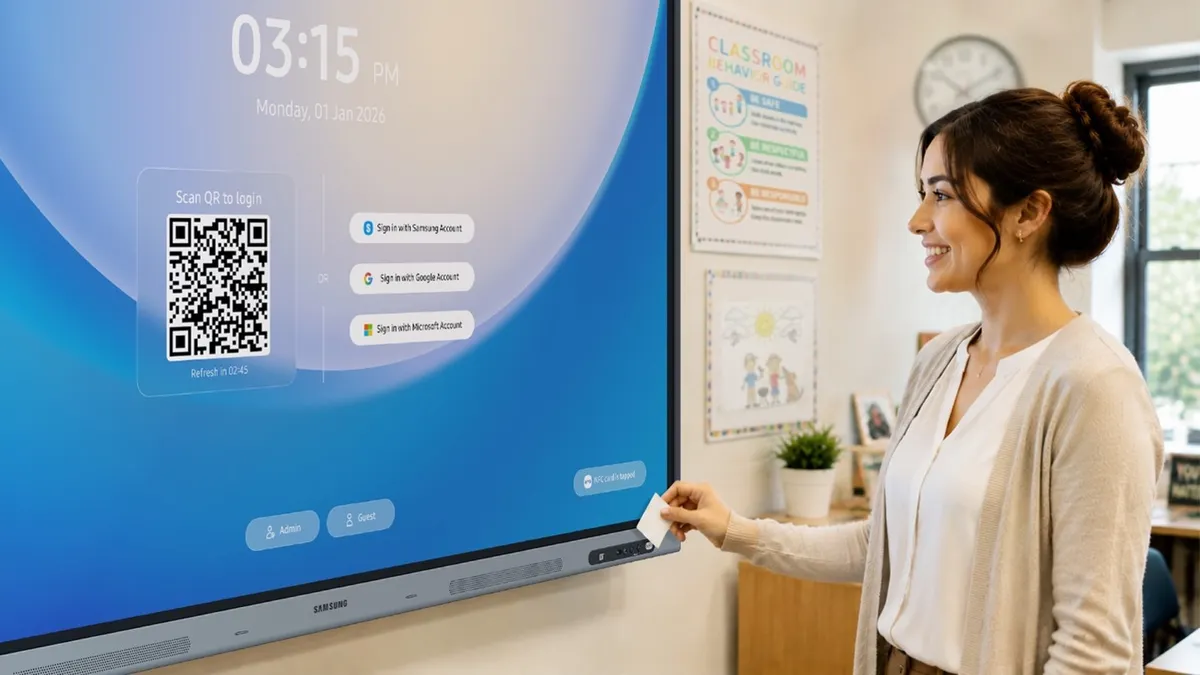

A teacher's day rarely begins when students arrive in the classroom. More often, it starts with finding the right room, waking up the shared classroom display, signing in, locating lesson files, opening bookmarks, launching the right app and making sure everything is ready for the class.
In today's digital classroom, educators are expected to move between physical spaces, digital platforms and different learning formats. However, technology can sometimes add friction instead of removing it. On a typical day, teachers may need to navigate lesson plans stored across cloud drives, USB drives and local folders, while also managing the "login fatigue" that comes with shared devices.
Samsung's latest education solutions for its Android OS-based interactive display lineup are designed to reduce that friction. The WAF and WAFX-P models support Account Management Solution and AI Assistant, which can help teachers personalize shared displays, access materials more easily and spend less time managing technology so they can focus more on teaching.
Samsung AMS helps make shared displays easier to manage
For many schools, shared classroom displays are essential infrastructure. A single display may support multiple teachers, subjects and class periods every day. But when multiple teachers use the same device throughout the day, it can be difficult to quickly access the right materials, maintain a consistent classroom setup and protect personal information.
Samsung AMS helps address these challenges by giving teachers a simpler way to access their accounts on compatible Samsung interactive displays. Rather than manually entering credentials in front of students at the start of every class, teachers can sign in using a QR code or an NFC-enabled ID card. They can also set a screen lock for moments when they need to step away. With a quick sign-in, the display reflects their own teaching environment, including the settings and tools they rely on throughout the day.
For educators who teach in multiple classrooms, Samsung AMS also helps create a more consistent experience from one classroom to another. The Home Personalization feature supports cloud-connected profiles, enabling teachers to access their preferred layout, wallpaper, files and settings when they sign in to compatible displays. As a result, teachers can quickly pick up where they left off, regardless of which classroom they're teaching in.
How Samsung AI Assistant supports live classroom instruction
During class, teachers may need to answer questions, reframe explanations or bring in additional materials as the discussion changes. Samsung AI Assistant is built into supported Samsung interactive displays running Android OS, with classroom tools available from the screen. Educators can use it to find information, create classroom resources and support learning while keeping the lesson on track.
Single sign-on through Samsung AMS lets teachers access Samsung AI Assistant after signing in, without a separate login step.
As instruction begins, Live Transcript converts spoken instruction into real-time text on the display, which can be especially useful in large classrooms where a teacher's voice may be harder to hear. It also supports students with a range of learning needs. Users can customize the transcript display banner by adjusting the font size, language and position on the screen, helping students follow along and catch important points during the lesson.
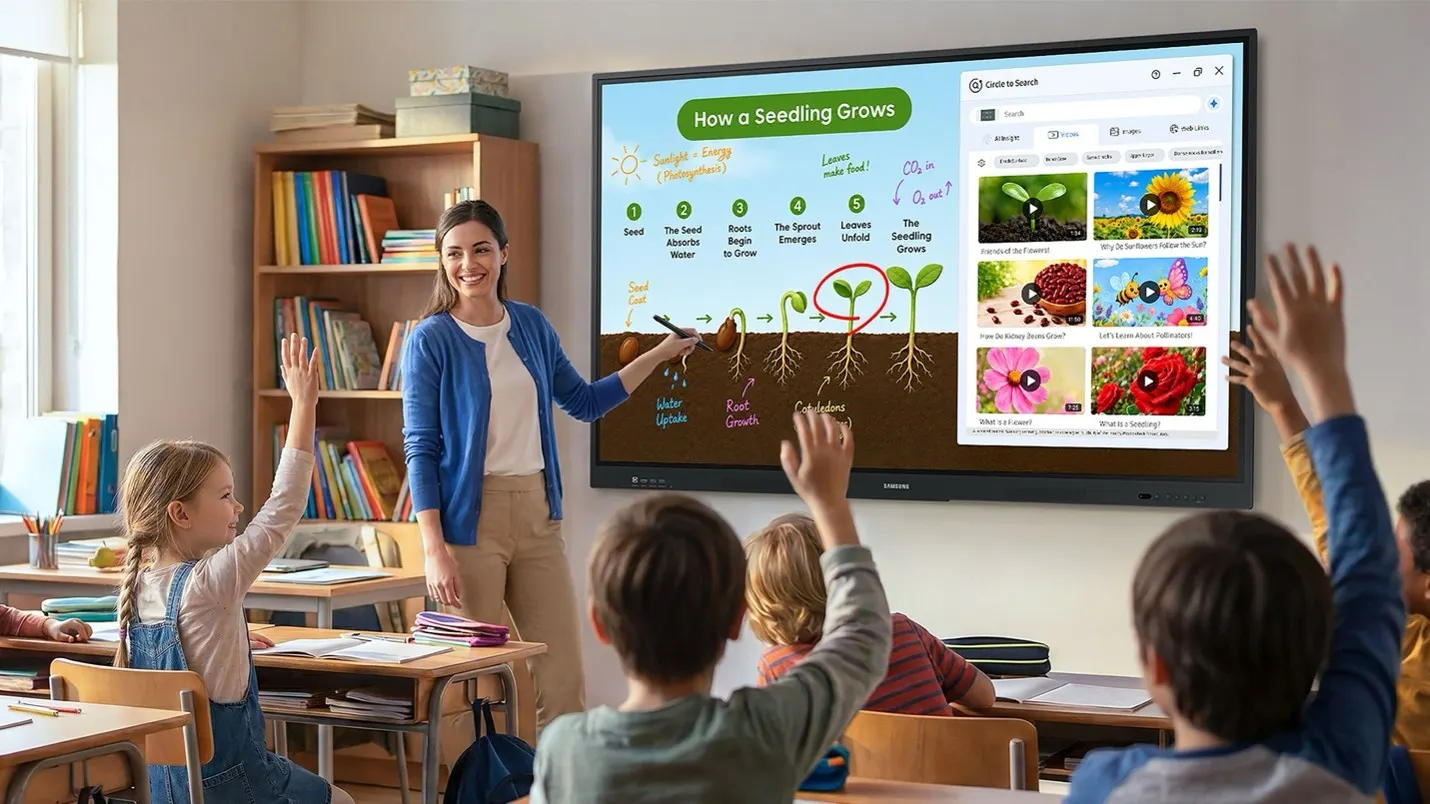
With Circle to Search, teachers and students can circle onscreen text or images midlesson to quickly find related information, images, videos and web links directly from the display. This feature can be useful when a teacher is explaining a difficult concept, responding to an unexpected question or adding reference materials to help students better understand what they're seeing onscreen. Rather than switching devices or opening additional applications, teachers can also press and hold search results to add helpful content to Samsung Whiteboard, including visuals such as graphs or diagrams that support problem-solving activities.
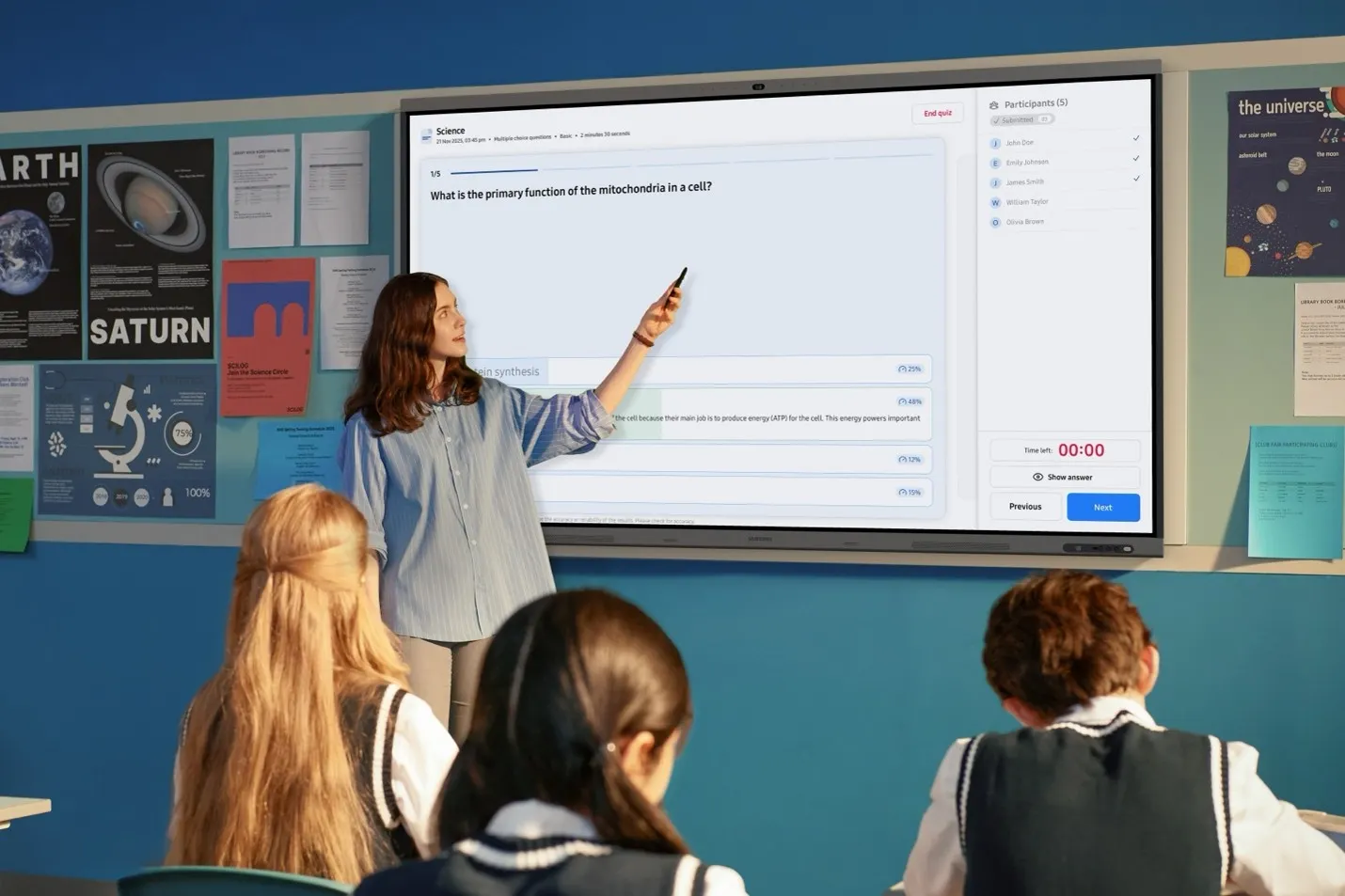
At the end of the class, teachers can use My Lessons to return to recorded lesson content, review the transcript and access AI Quiz. This tool helps educators check student comprehension and quickly create wrap up materials tied to what was just taught. Because AI Quiz generates questions only from the selected transcript and provided sources, teachers can be confident that AI hallucinations will not appear in the quiz content. It can also prompt students to recall details they may have missed or forgotten, allowing teachers to revisit and reinforce key concepts that may not have been fully understood.
As schools continue to adopt new technologies and teaching models, educators need tools that are easy to access, simple to manage and flexible enough to support changing classroom needs. With AMS and AI Assistant, Samsung Interactive Displays help reduce administrative friction, streamline everyday workflows and support more connected teaching and learning experiences.